Grocery Budget
Expo React NativeBudgeting and meal-planning app: auto-budget from bank transactions (Plaid), receipt parsing with grocery subcategory splits, recipes with cost-per-serving, and AI-generated shopping lists.
View the Code
React Native + Expo on GitHub
Problem & Context
Grocery spending is hard to track and plan. Manual budgeting is tedious; bank feeds don't tell you what you bought or how it maps to meals. Receipts pile up. Meal planning and shopping lists live in separate tools.
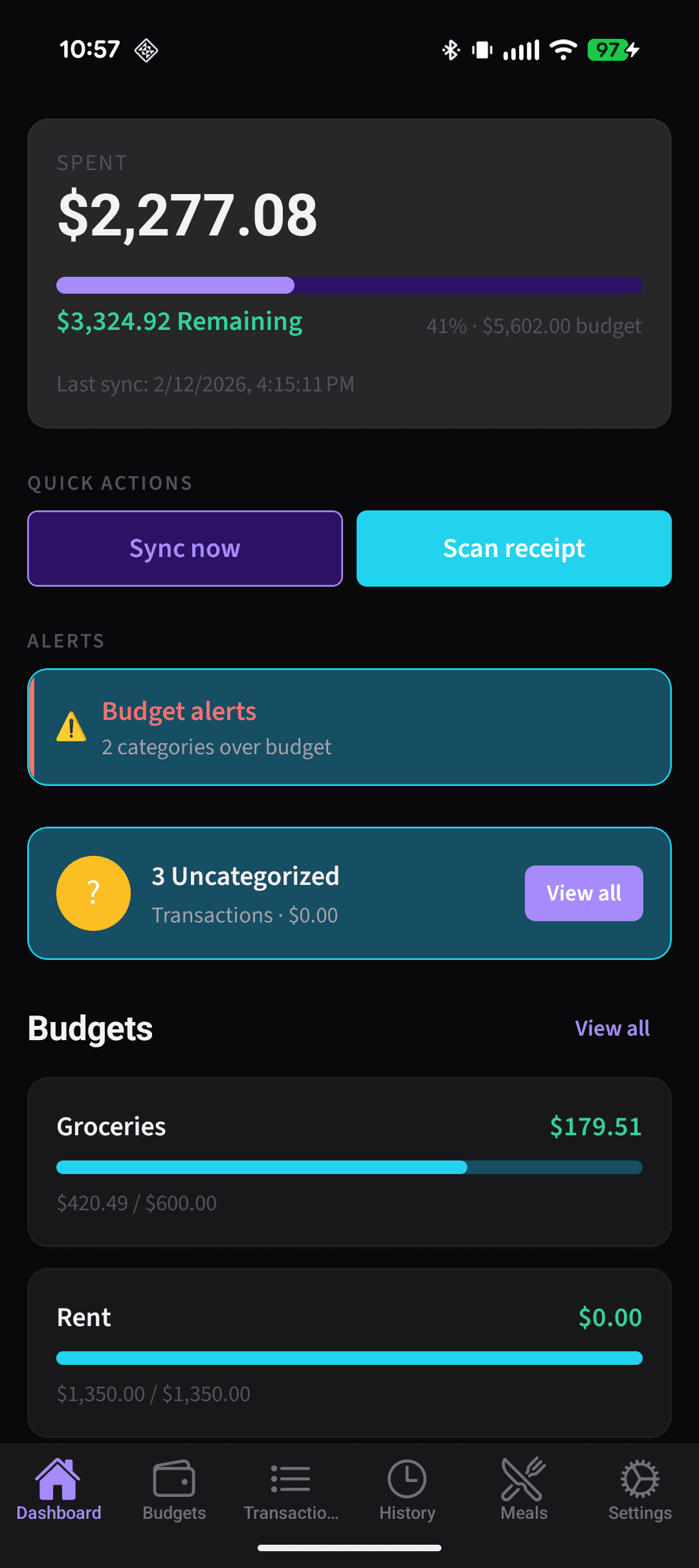
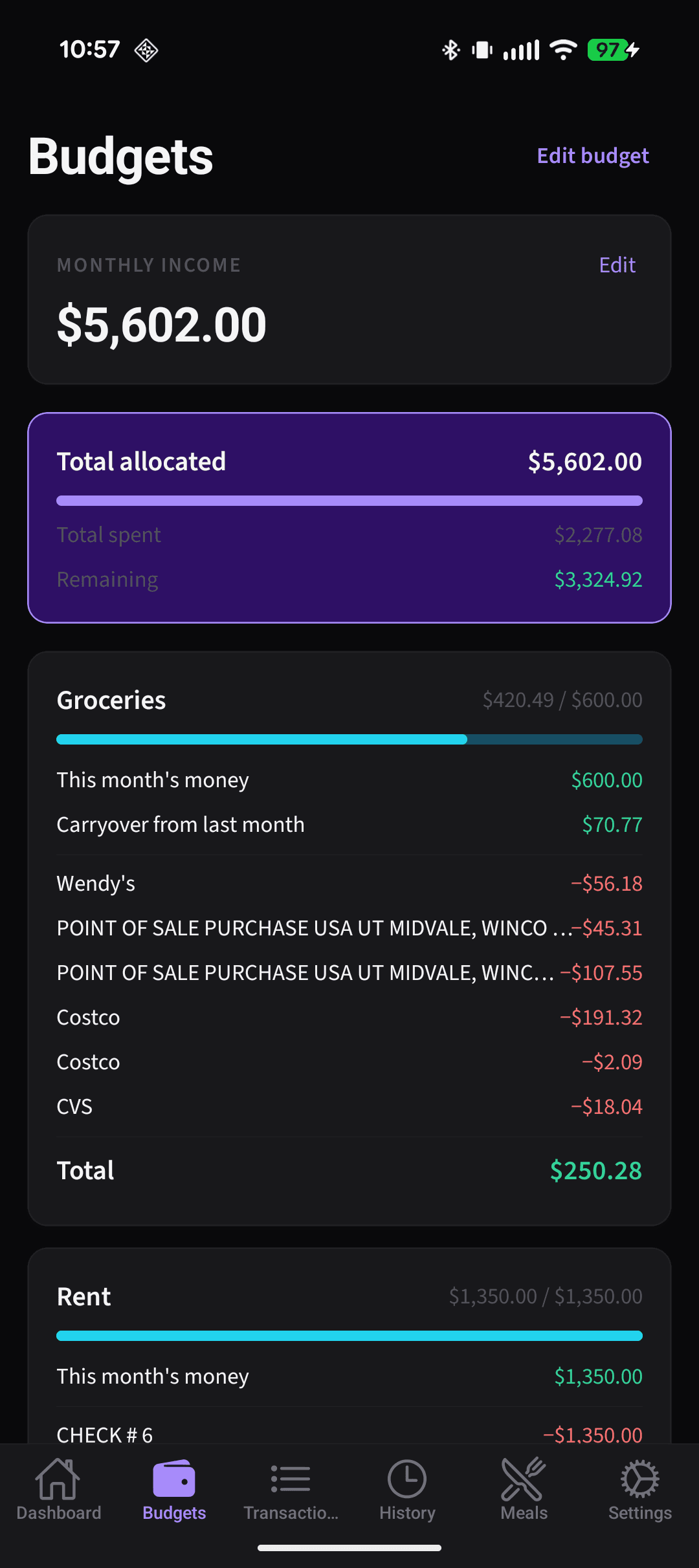
Grocery Budget unifies envelope-style budgeting (with Plaid auto-import), receipt capture and itemization, recipes with cost-per-serving, weekly meal planning, and AI-generated shopping lists. Receipts can link to bank transactions and split grocery spend into subcategories (e.g., Costco vs household vs eating out).
Core Pillars
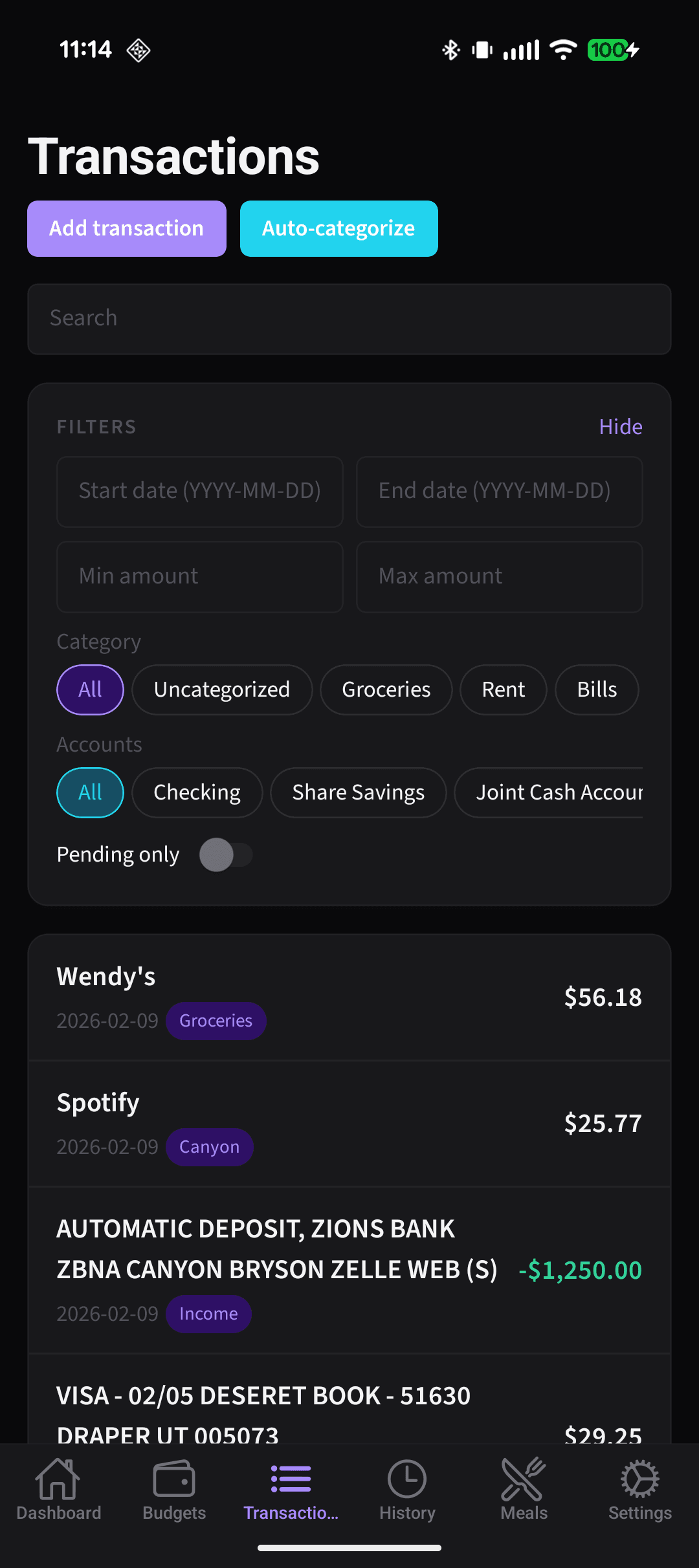
- Auto-budgeting from bank transactions — Plaid integration with envelope-style budgets, parent + subcategory hierarchy, transfer tracking, and rule/AI-assisted categorization.
- Receipt → items + grocery subcategories — Camera capture, AI receipt parsing, item-level categorization, and linking receipts to transactions to split grocery spend.
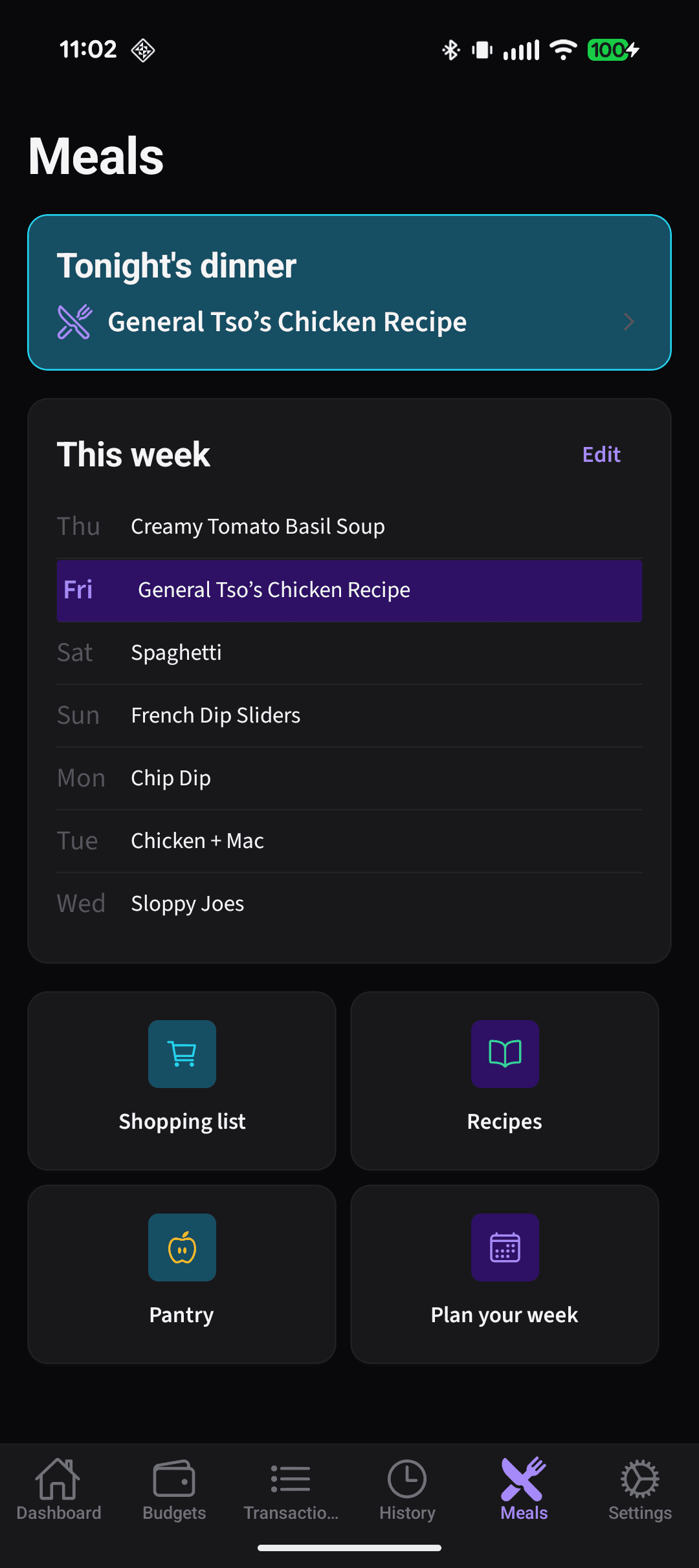
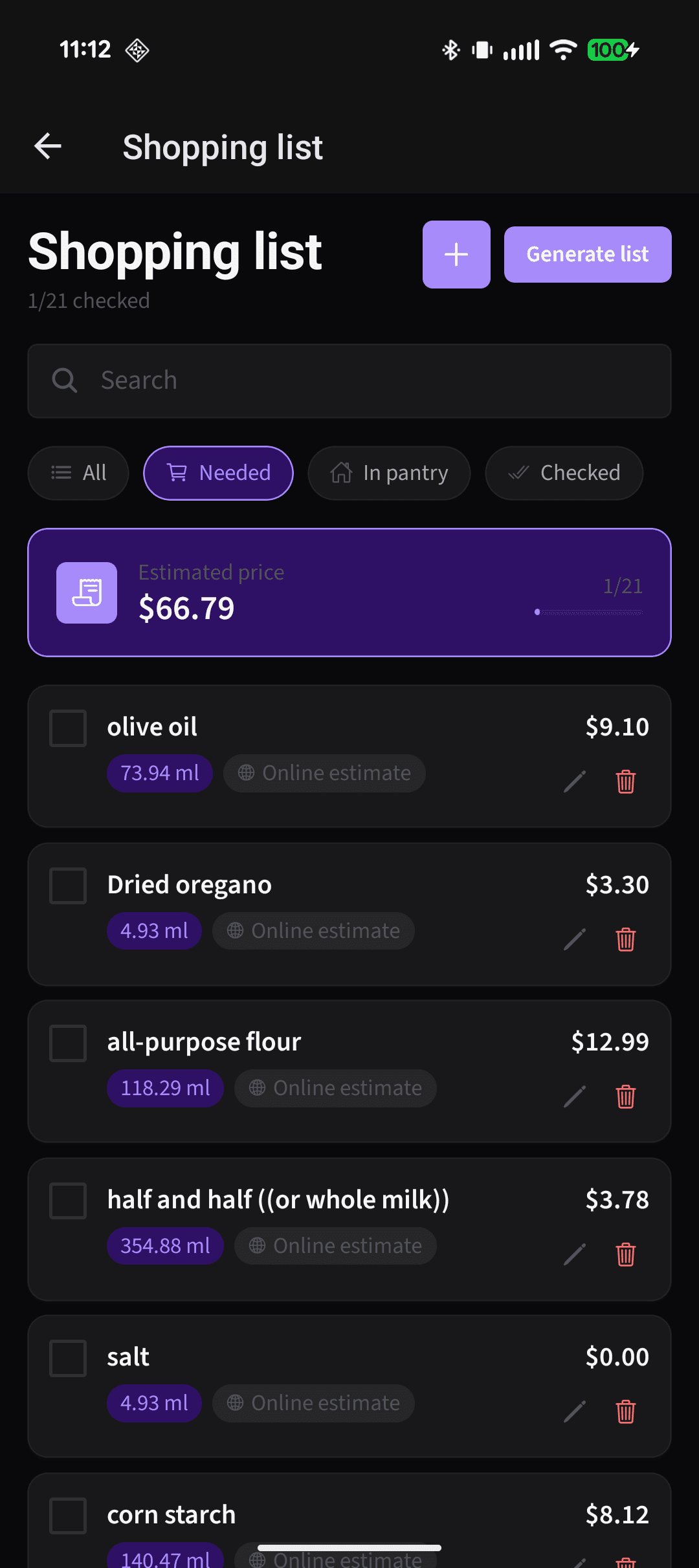
- Recipe → ingredients → cost-per-serving — URL ingestion, manual entry, saved recipes, weekly meal plan with slots, and AI-generated shopping list with pricing.
Categorization Pipeline
Transactions are categorized by strict priority: user rules first, deterministic mappings second, AI only as last resort.
- 1. User rule cacheFuzzy merchant match — wins over everything
- 2. Deterministic mappingMCC codes, keywords
- 3. AI fallbackOnly when unknown merchant and no MCC mapping
App Structure
AI System (Paid Tier)
Every AI output stores confidence scores, sources (receipt vs web), and rationale. Low-confidence fields require review. User edits feed back into rules and caches.
- Transaction categorization fallback
- Receipt OCR + parse (image → structured receipt)
- Item normalization (raw → canonical)
- Recipe URL ingestion
- Recipe cost-per-serving estimation
- Shopping list generation from meal plan
Key Decisions
Guest mode with local-only storage
Anonymous users get full manual functionality via expo-sqlite (budgets, transactions, recipes, meal plan) without Convex or Plaid. On sign-in, merge flow uploads local data with local-wins conflict resolution.
Tradeoff: No offline write queue in MVP; signed-in users require connectivity for writes.
Categorization priority: rules > deterministic > AI
User merchant rules (fuzzy match) always win. MCC/keyword mapping next. AI only for unknown merchants with no mapping. Manual categorization auto-creates fuzzy rules for future transactions.
Tradeoff: AI calls are minimized and reserved for paid tier, reducing cost and latency.
Receipt linking with mismatch tolerance
Link by time, store, and total. Within 5% tolerance allows link but flags for review. Linked receipts split grocery transactions into subcategory allocations; unlinked receipts do not affect budgets.
Tradeoff: Some false matches possible; review UX handles flagged cases.
Cost-per-serving from receipt history first
Pricing priority: (1) most recent purchase within 30 days from receipts, (2) AI web search. Free tier: user selects match; paid: AI suggests, flags uncertain for review.
Tradeoff: Accuracy depends on receipt history quality; newer users get more web-sourced estimates.
Screenshots
What I'd Improve
- Offline write queue for signed-in users
- Pantry tracking with auto-consumption from recipes
- Benchmarking (50th percentile spend) using anonymized opt-in data
- Store routing optimization for shopping lists
- Data export